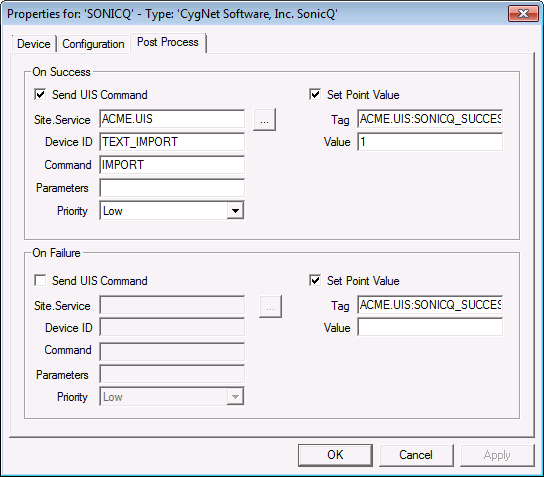
Use the Post Process page to specify what action to take after an import or export operation has completed. There are two unique configuration sets; one for a successful operation, and another for a failed operation.
The properties for each section of this page are described below. The following descriptions apply to both sets.
| Property | Description |
|---|---|
|
Send UIS Command |
If enabled, a UIS command will be sent when each operation completes. |
|
Set Point Value |
If enabled, a point will be set with the specified value when each operation completes. |
|
Site.Service |
UIS service to send the UIS command to. |
|
Device ID |
The ID of the device to send the UIS command to. |
|
Command |
The UIS command to send. |
|
Parameters |
Parameters to send with the UIS command |
|
Priority |
The priority of the UIS command. Higher priority commands are processed first. |
|
Tag |
The tag of the point that is updated with the Success or Failure. |
|
Value |
The value to set the point to. |

|
|
|

